
You’re probably in one of two spots right now. You’re either tired of grinding a fresh CODM account just to reach usable loadouts, or you’re chasing a specific mythic, legendary, or stacked inventory that never dropped for you. That’s usually when people start searching for call of duty accounts for sale and run straight into the mess: flashy listings, vague promises, cropped screenshots, and sellers who vanish the second payment clears.
The danger isn’t only getting a fake account. The bigger danger is buying a real one and losing it later because the original owner still controls the recovery path. That’s the part most guides gloss over. In practice, that’s where buyers get burned.
Table of Contents
- Choosing the Right CODM Account for Your Playstyle
- Verifying Seller Credibility and Account Contents
- Navigating Secure Payment and Account Delivery
- The Critical Post-Purchase Security Protocol
- A Final Checklist for Spotting Red Flags and Scams
Choosing the Right CODM Account for Your Playstyle
A lot of bad buys happen before the buyer even opens a listing. They happen when someone shops with a vague goal like “I want a good account.” That’s how you overpay for items you won’t use, or miss the one thing that mattered to you.
Start with your real reason for buying
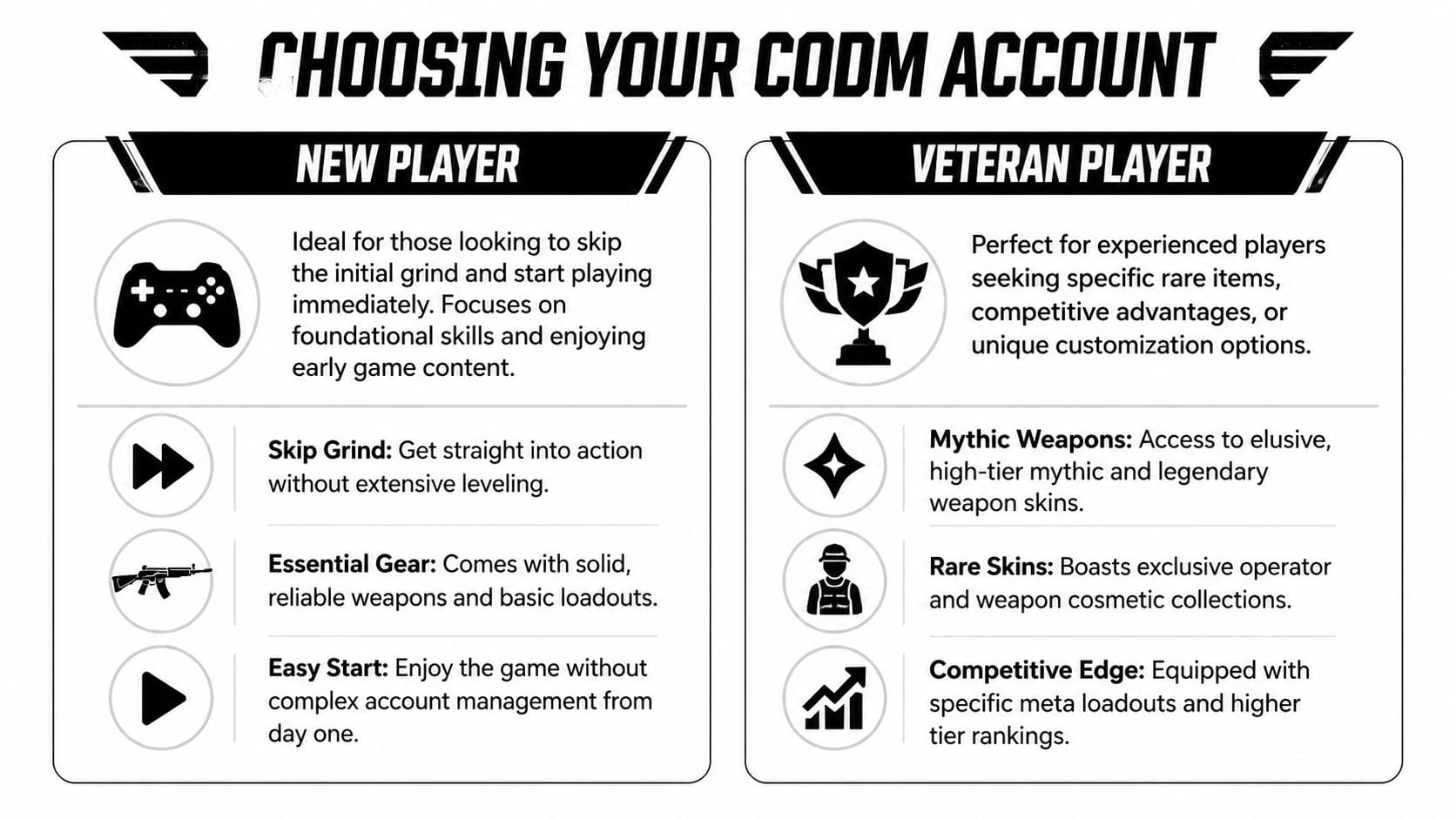
Split yourself into one of these lanes first:
- You’re new and want a shortcut: You need a clean starting point, usable weapons, a decent rank foundation, and simple account management.
- You already know CODM and want specific content: You’re hunting a mythic weapon, rare operator, loaded BR cosmetics, or a stacked camo inventory.
- You care about ranked performance: Then cosmetics matter less than weapon progress, meta options, and whether the account already has the loadouts you run.
- You create content: You need visual value. Mythics, legendary operators, rare vehicles, and recognizable lobby flex matter more here.
This helps you ignore bait listings. A “whale” account looks impressive, but if you only wanted one mythic AR and a solid MP setup, you’re paying for someone else’s collection.
Know what actually drives value
The cleanest way to judge a high-tier account is progression depth, not seller hype. Camo progression is one of the strongest value signals, because finishing mastery camos can take over 3,500 hours of gameplay, and legendary or mythic weapon camos can command 40-60% premiums in marketplace pricing, according to GameBoost’s Call of Duty accounts overview.
That matters because “stacked account” means nothing by itself. A veteran buyer should ask:
- Which weapon classes are progressed?
- Are mastery camos broad across the inventory, or concentrated on a few guns?
- Are the mythics ones you’ll use?
- Is the account built for MP, BR, or both?
Practical rule: Buy the account that matches your loadout habits, not the one with the longest skin list.
If you mainly run aggressive SMGs, a beautiful sniper-heavy inventory won’t feel worth it after the first night. If you’re unsure what guns you’ll stick with, review current weapon roles before shopping through a guide like Call of Duty Mobile Best Guns.
Read listings like a veteran
Seller language often hides weak value. Learn to decode it.
- “Rare account” usually needs proof. Rare compared to what?
- “Full access” should mean access to the game login and all recovery-relevant credentials, not just the game itself.
- “Safe to link” is not proof. It’s a claim.
- “OG skins” can be true, but ask for exact item names shown in-game.
A practical way to sort listings is to think in tiers:
| Account type | Best for | What to look for |
|---|---|---|
| Starter account | New players | Basic progress, usable weapons, simple ownership transfer |
| Focused account | Returning or competitive players | Specific mythics, preferred weapon classes, clean inventory proof |
| Collector account | Veterans, streamers | Multiple mythics and legendaries, rare operators, strong cosmetic breadth |
The mistake most buyers make is chasing maximum inventory. The smarter move is choosing minimum waste. A smaller account with your exact main weapons is often the better buy than a bloated one filled with skins for guns you never touch.
Verifying Seller Credibility and Account Contents
Scams get filtered out. Not by vibes, not by polished thumbnails, and not by profile descriptions. By proof that can’t be faked easily.
Static screenshots prove almost nothing
A screenshot can be stolen, cropped from an old sale, or taken before the account changed hands. If a seller only gives you still images, treat that as incomplete verification.
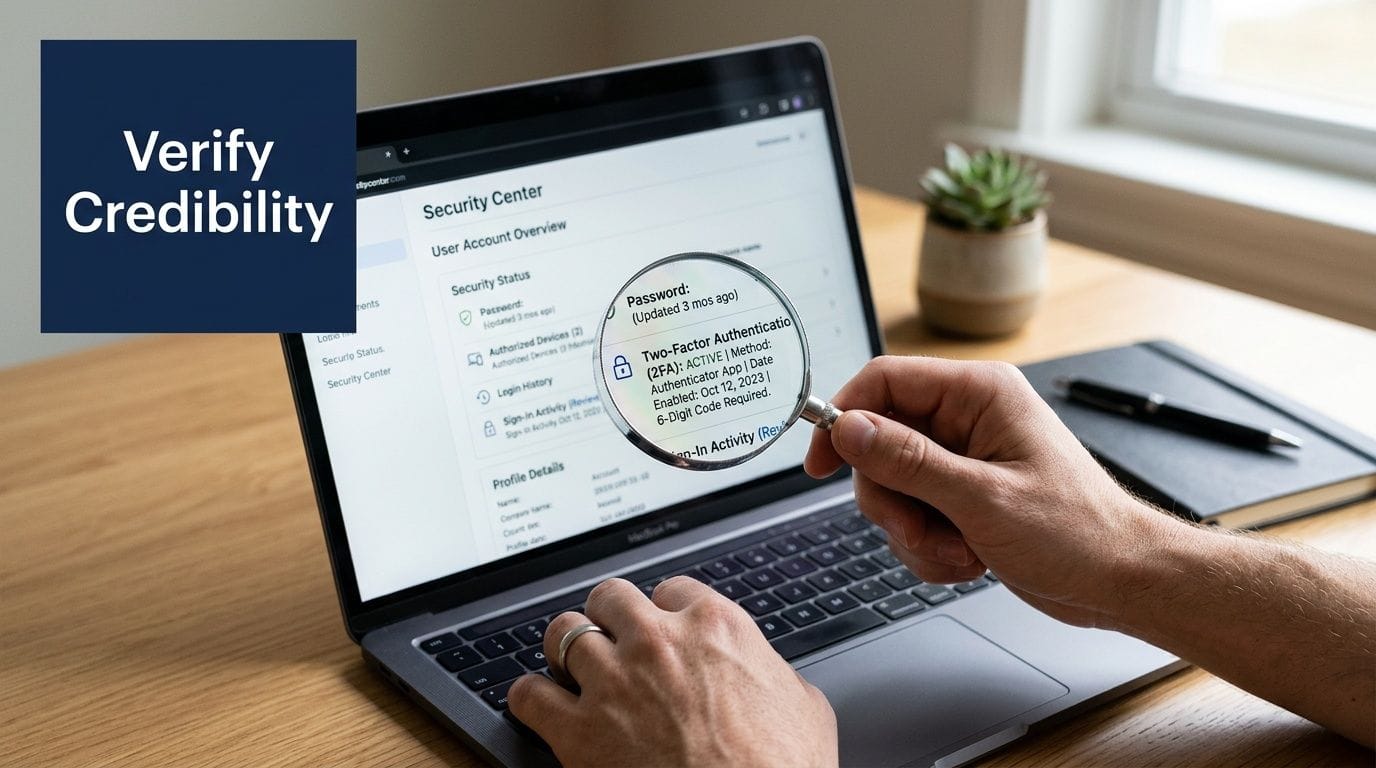
Ask for a fresh in-game video. Not a montage. Not a pre-recorded clip with music over it. A short live proof video that follows your instructions.
Use a request like this:
- Open the CODM lobby
- Equip one specific mythic skin you name
- Open the loadout and scroll slowly
- Show the profile page
- Type a custom word or your username in chat
- Open linked account settings
- Show the current CP balance if CP is included
That kind of proof is harder to fake on the fly. A scammer working from stolen screenshots usually falls apart when you ask for sequence-based actions.
Ask for a video of the seller equipping a specific mythic, then opening chat and typing the exact word you choose. That single request kills a lot of fake listings.
What to verify before you pay
Don’t stop at cosmetic proof. The account itself has to be transferable in a way that won’t haunt you later.
Use this checklist before any payment:
- Exact inventory: Have the seller show the specific mythic weapons, legendary skins, operators, and vehicles named in the listing.
- Account linkage status: Confirm what’s linked. Activision, Facebook, Google, Apple, and any other recovery path matter.
- Email access: If the account uses an email login or recovery email, ask whether that email is included and transferable.
- Recent activity signs: Fresh login proof matters more than archived clips.
- Region and language details: These can affect usability, support, and your comfort managing the account later.
One practical reference point for buyers comparing listing structure is the IceSoul marketplace account guide, which shows how account browsing can be organized around visible loadouts and item categories rather than vague claims.
How seller behavior gives them away
Good sellers don’t panic when you ask for detail. Bad sellers try to rush you past it.
Watch how they respond when you ask normal buyer questions:
- Do they answer directly, or dodge?
- Do they get annoyed when you ask about linked accounts?
- Do they refuse custom proof and push old screenshots instead?
- Do they try to move you off-platform early?
A seller’s tone tells you a lot. Someone who controls the account can usually produce proof with minor effort. Someone running a shaky operation often switches to pressure tactics.
Here’s the behavior I trust least: fast replies on price, slow replies on security. If they can answer in seconds when money is involved but suddenly go vague when you ask about recovery options, walk away.
Navigating Secure Payment and Account Delivery
The transaction part should feel boring. If it feels exciting, risky, or improvised, something’s off.
The Call of Duty franchise has generated over 30 billion U.S. dollars in consumer spending, and CODM has earned over 1.7 billion U.S. dollars, which is part of why secure account transactions matter so much in this category, as shown in Statista’s Call of Duty market overview.
Escrow is the line you do not cross
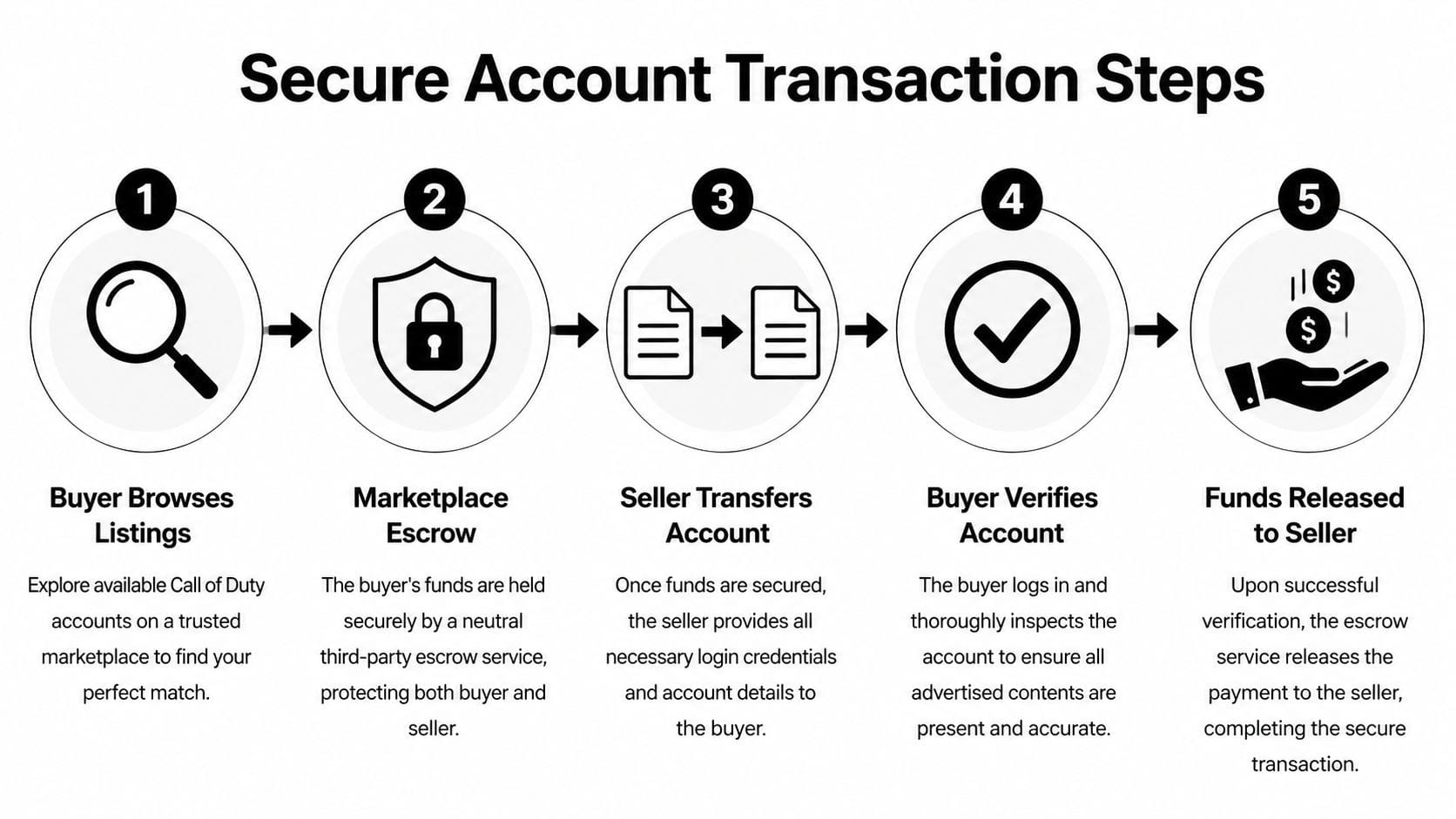
Use a marketplace escrow flow or don’t buy. That’s the rule.
With escrow, the marketplace holds the money while the seller delivers the account. You log in, inspect it, secure it, and only then is the payment released. That setup protects both sides.
Without escrow, you’re relying on trust alone. That’s where buyers get trapped by:
- PayPal Friends & Family
- Crypto sent directly
- Direct bank transfer
- Gift card payments
- Split payments outside platform rules
Those methods are popular with scammers because once the money leaves, your bargaining power disappears. If a seller says escrow “takes too long,” that usually means they want the part where you can dispute the deal removed.
What delivery should include
A proper handoff is more than a username and password. At minimum, you should receive the credentials necessary to access the game account and whatever recovery path is tied to it.
Check for these items during delivery:
| Delivery item | Why it matters |
|---|---|
| Game login credentials | Lets you access the account immediately |
| Email or recovery credentials if included | Needed to secure long-term ownership |
| Linked account details | Shows what still needs to be changed or removed |
| Clear delivery message inside the marketplace | Keeps a dispute trail if something goes wrong |
If you’re trying to lower your overall spend around the purchase, support items like top-ups and platform credit can matter too. Some buyers pair account purchases with wallet savings from offers such as Google Play discounts 2026, but the account transaction itself still needs to stay inside a protected payment flow.
If a seller asks you to pay one part on-platform and the rest off-platform, treat that as a failed safety check.
After delivery, don’t click “confirm received” just because the login works once. Log in, inspect the content, check the linked services, and start securing it first. Ownership is not confirmed by one successful login.
The Critical Post-Purchase Security Protocol
This is the part buyers underestimate. They think the hard part was finding a listing and paying safely. It wasn’t. The hard part is the handover window right after delivery, when the account is most exposed.

The account is not yours yet
A purchased CODM account is not really yours until you control every recovery route attached to it. If the original owner still has access to a linked email, Facebook login, Google login, Apple ID path, or recovery code chain, they may still be able to take it back later.
Your first moves should happen immediately after receiving access:
- Log in and confirm the inventory is correct.
- Change the game password if that option is available through the current setup.
- Change the linked email password if the email is part of the handoff.
- Replace recovery email or recovery methods where possible.
- Unlink old social accounts that belong to the previous owner.
- Link your own accounts carefully and one at a time.
- Enable two-factor authentication on every account you control.
- Save proof of transfer, including chat, order record, and delivery details.
This is not optional. Delay is where buyers lose control. If you plan to “secure it later,” later may be after the original owner notices the login and starts recovery.
Be careful with linking and profile merges
A lot of buyers want to connect the purchased account to their main Activision identity right away. That sounds tidy, but this is one of the easiest ways to create problems.
Forum data cited in BoostRoyal’s COD account page shows only a 45% success rate for mythic and legendary skin transfers after merging profiles, and there’s also a 30% skin de-sync risk in BR mode after linking. That’s not a small annoyance if the whole reason you bought the account was cosmetic value.
So take the cautious route:
- Don’t rush into merging profiles on day one
- Test the account in its current state first
- Confirm skins display correctly in the modes you play
- Document what appears before changing any link setup
If you bought the account for a mythic collection, a sloppy merge can create a worse outcome than leaving the account self-contained.
Don’t treat linking as cleanup. Treat it as a high-risk modification.
What buyers skip and regret later
The usual mistakes are simple:
- They leave the original owner’s social link attached
- They don’t change recovery email details
- They enable 2FA on one account but forget the linked email
- They merge accounts before checking whether cosmetics survive
- They confirm the order before full security changes are done
The safest mindset is this: you are not buying a skin bundle. You are taking custody of a digital identity with a recovery trail. Every loose end matters.
Keep your own records too. Save screenshots of the listing, proof video, order messages, login changes, and any signs of prior links. If a dispute starts later, organized records help more than memory.
A Final Checklist for Spotting Red Flags and Scams
Scams in this space don’t always look dramatic. Many look normal until the weak point shows. A seller seems polite, the account is real, the login works, and then months later the account disappears because the old owner still had a path back in.
That recovery problem is the biggest blind spot in this market. Independent forum discussions summarized through Eldorado’s Call of Duty account marketplace context show 60-70% of scammed buyers report accounts being reclaimed within 1-6 months, and the risk is reported as 25% higher for mobile-linked accounts versus PC or console. For CODM buyers, that should shape every decision you make.
The red flags that matter most
Some warnings are obvious. Others are subtle but more dangerous.
Start with the obvious ones:
- The seller refuses escrow: That removes your safest protection.
- The listing is unusually cheap for what it claims: The account may be fake, misrepresented, or vulnerable to recovery.
- The seller pressures you to buy fast: Pressure is used to stop verification.
- The proof is old, partial, or recycled: If they control the account, they should be able to produce fresh proof.
Then the subtler signs:
- Linked account questions get vague answers
- The seller says “full access” but won’t define it
- They won’t show settings screens
- They avoid talking about recovery email ownership
- They insist that “nobody ever has problems later”
That last one is one of my least favorite lines in this market. Long-term account safety is exactly where problems happen.
Red Flag Checklist
| Red Flag | Why It’s a Risk |
|---|---|
| Seller wants direct payment | You lose buyer protection and dispute leverage |
| No custom video proof | The listing may rely on stolen screenshots or outdated media |
| Vague item descriptions | You may receive an account missing the cosmetics or progress you expected |
| Refuses to show linked accounts | Hidden recovery paths can let the original owner reclaim the account |
| Pushes urgency | Pressure reduces your time to verify ownership and contents |
| New or thin seller history | Less reputation means less confidence if problems appear later |
| Says “safe” without explaining transfer steps | Security claims without process details don’t protect you |
| Wants you to confirm delivery before securing the account | You may release funds before controlling recovery options |
| Avoids discussing email access | Email access often decides who can recover the account |
| Promises easy linking to your main profile | Linking can create cosmetic or sync problems if handled carelessly |
Your final pre-purchase sanity check
Before you commit to any call of duty accounts for sale listing, run this short decision test.
If the answer is “no” to any of these, stop:
- Have you seen fresh, custom proof based on your own request?
- Do you know exactly which login and recovery methods are attached?
- Is payment protected through escrow?
- Can you describe why this account fits your playstyle better than the others you viewed?
- Do you have a post-purchase lock-down plan ready before the seller delivers?
That last point matters more than people think. A careful buyer can still lose an account by becoming lazy after delivery. In CODM, ownership is not the moment money changes hands. Ownership starts when the recovery chain belongs to you and nobody else.
Most bad outcomes come from one of three mistakes. Buying the wrong account, trusting weak proof, or failing to secure the account fast enough. If you avoid those three, you cut out a big share of the danger that catches new buyers.
If you want a marketplace option focused on CODM inventory rather than generic cross-game listings, IceSoul offers browsable Call of Duty Mobile accounts with mythic weapons, legendary skins, and categorized loadouts. Use the same standards from this guide either way: verify contents with fresh proof, keep payment protected, and finish the security handover before you treat the account as yours.